

HiThrive is designed to feel like an extension of your company rather than a separate tool your team logs into. Several parts of the platform can carry your branding, from the cards employees receive to the app icon in their Slack sidebar.
This article brings all of those options together in one place. Each section links out to a full guide where one exists.
Quick reference
What | Dimensions | Format | How to update |
|---|---|---|---|
Home feed web banner | 1500 x 180 px | PNG or JPG | Self-serve in admin settings |
Celebration card design | 1422 x 800 px | AI, EPS, FIG, JPG, PNG | Send to HiThrive |
Celebration email banner | Varies | PNG or JPG | Send to HiThrive |
Shoutout value icons | 512 x 512 px | PNG or SVG | Send to HiThrive |
Shoutout value banner color | Single hex code | — | Send to HiThrive |
Slack app icon | 1024 x 1024 px | PNG or JPEG | Send to HiThrive |
Slack Shoutout modal banner | 700 x 80 px | PNG or JPEG | Send to HiThrive |
Slack App Home banner | 1400 x 220 px | PNG or JPEG | Send to HiThrive |
Home feed web banner
The banner across the top of the HiThrive web app, above your team's activity feed. This is the only branding element you can update yourself.
Navigate to app.hithrive.com/admin/settings, find the Web Banner setting, and upload your image. Changes appear immediately.
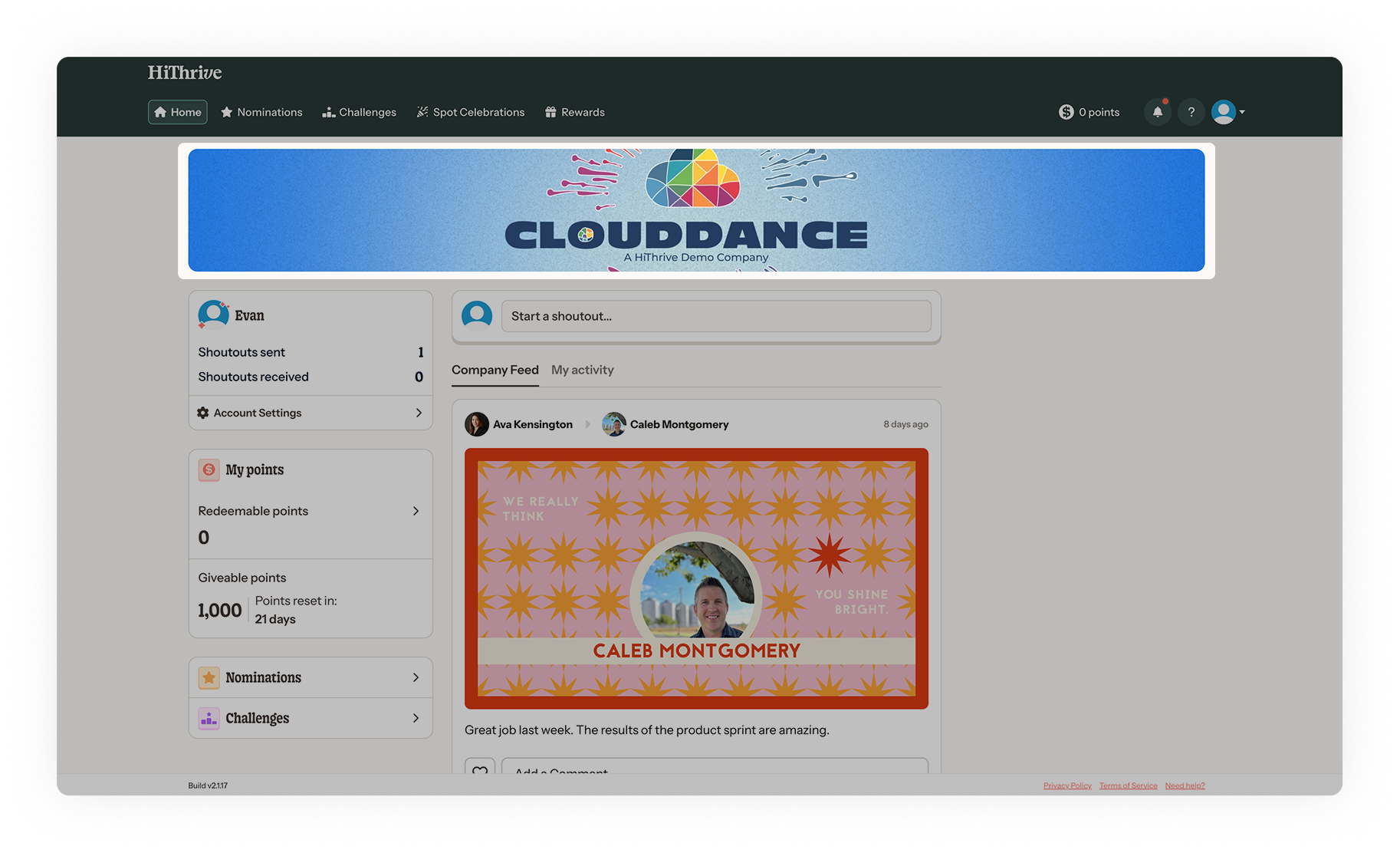
Full guide: https://help.hithrive.com/help/how-to-customize-your-home-feed-web-banner
Celebration card designs
The cards employees receive for birthdays, work anniversaries, new hire welcomes, and spot celebrations. Dimensions are fixed at 1422 x 800 px, but everything inside is yours to design.
Cards are dynamic, meaning fields like name, profile photo, and milestone year populate automatically at send time. You can design a separate card for each celebration type.
Send two versions of each design: one with all content populated, and one with the dynamic elements removed. Include font files for any custom typefaces, and individual layers if elements overlay each other.
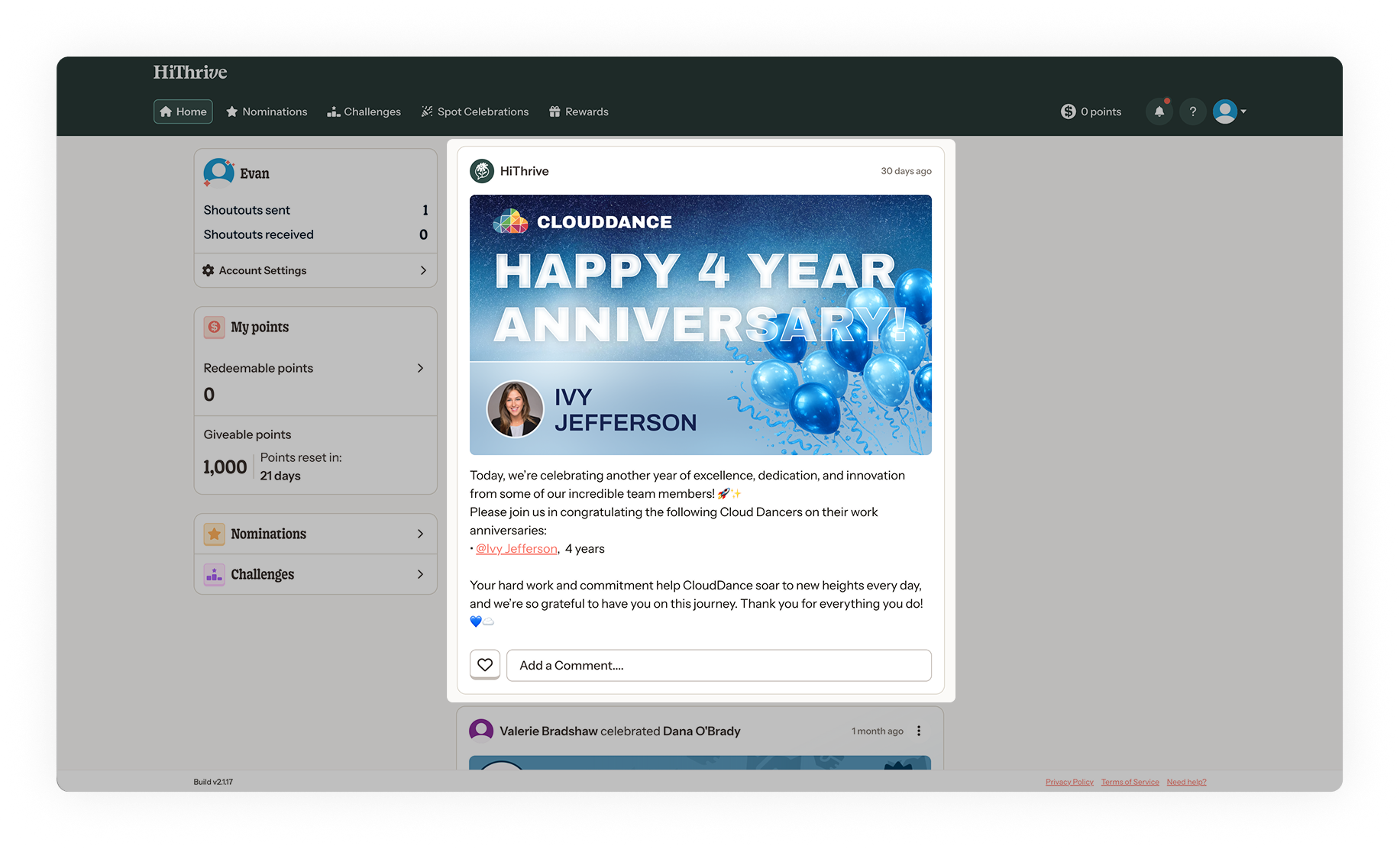
Full guide: https://help.hithrive.com/help/how-to-create-custom-card-designs
Celebration email template
The notification email that delivers a celebration. Four elements are customizable:
Banner image at the top of the email
Celebration card, pulled automatically from the design assigned to that celebration type
Button color, set with a hex code
Copy, including the headline and body text
Full guide: https://help.hithrive.com/help/customizing-your-celebration-email-template
Shoutout values
Each company value has its own icon and banner color, which together determine how a shoutout appears in the feed. The hex code becomes the banner background, and the icon appears both as a badge and as a repeating pattern tiled across it, generated automatically from the single file you supply.
Icons are 512 x 512 px, PNG or SVG. Simple line art in solid black on a transparent background works best, since we recolor it to match the banner. Full-color artwork is placed as-is. Banner colors take a single hex code, so gradients need simplifying before sending.
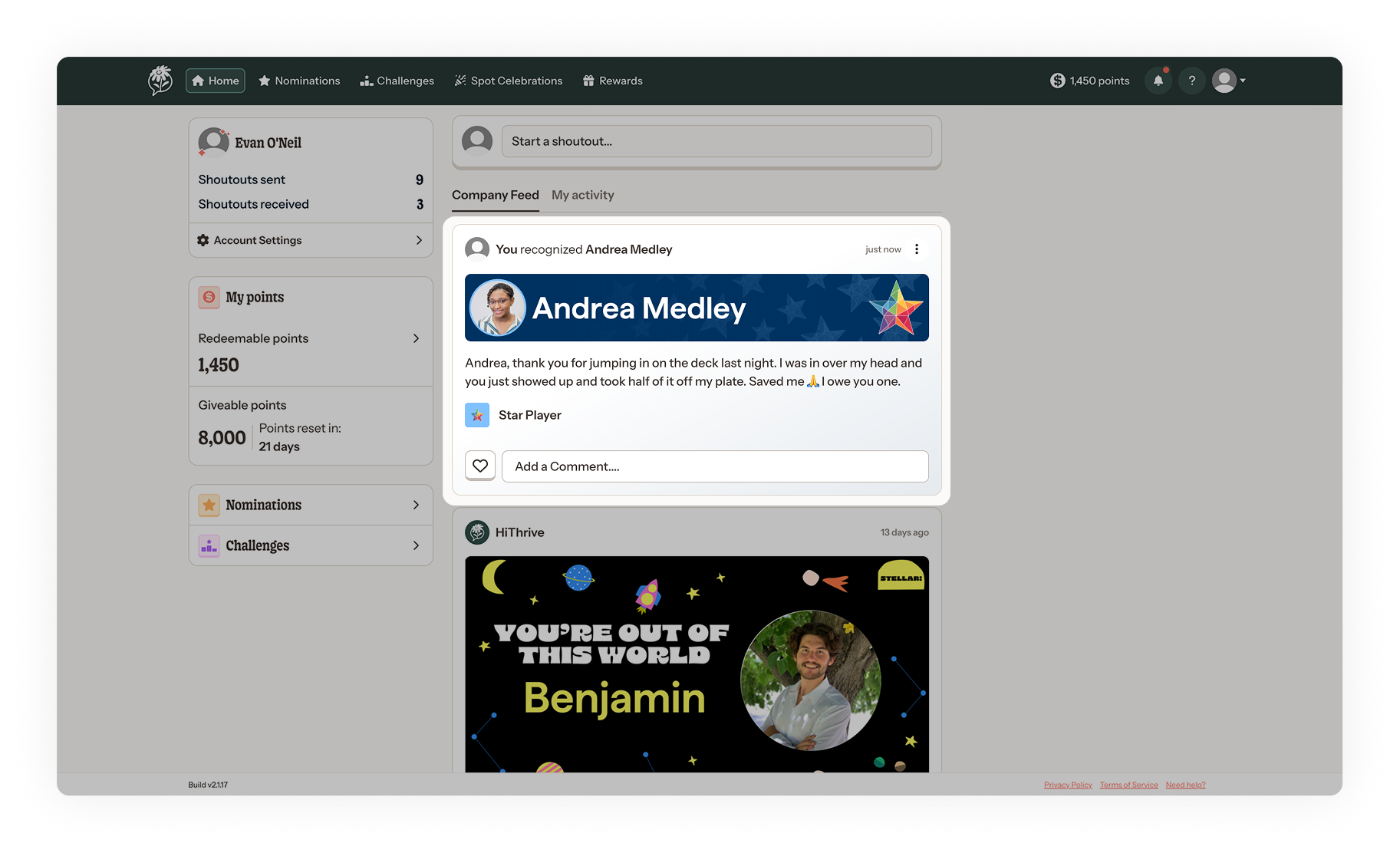
Full guide: https://help.hithrive.com/help/customizing-your-shoutout-values
Custom Slack app
Organizations on a custom Slack app can brand the app icon and two in-app banners so HiThrive appears under your own name in Slack.
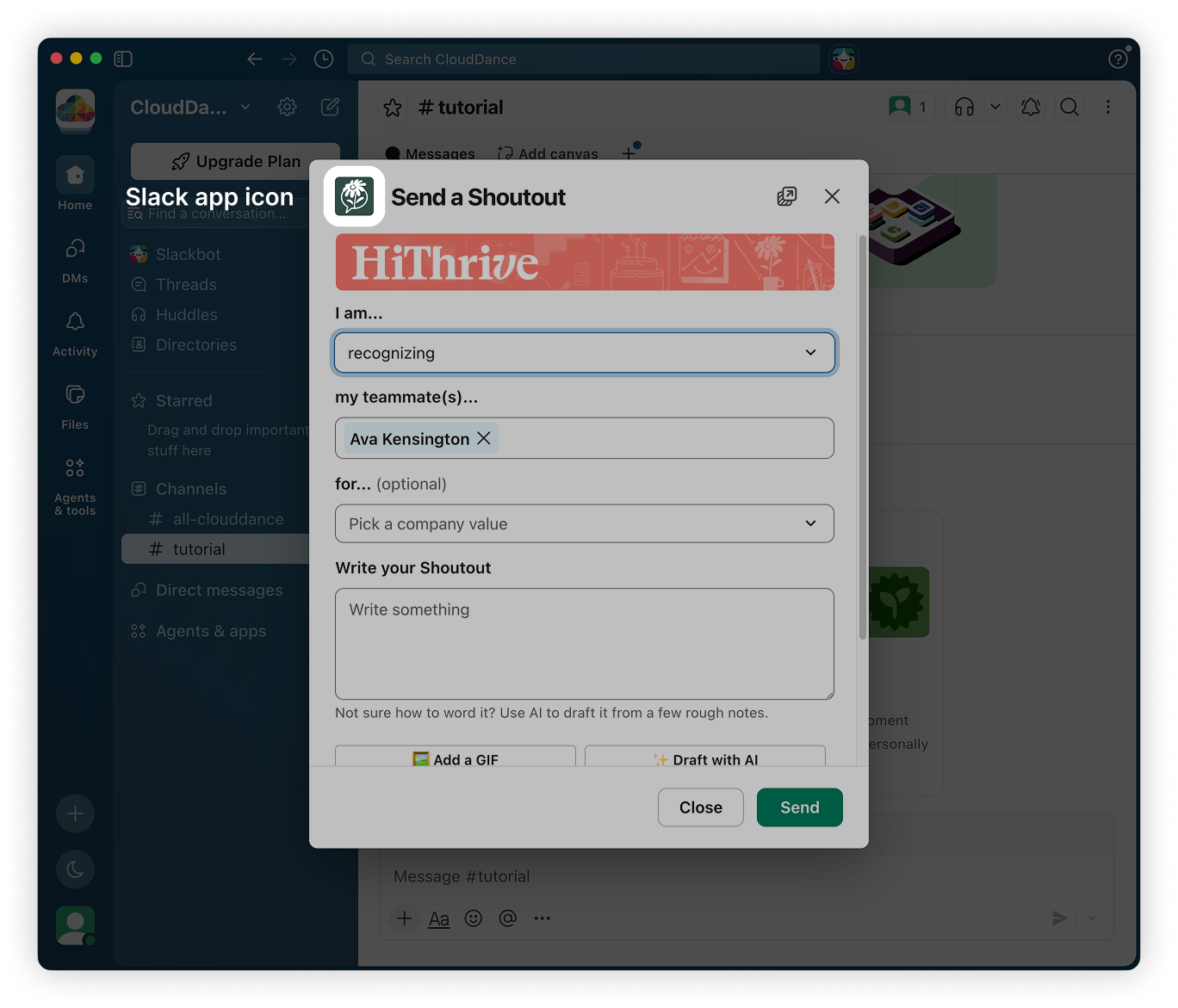
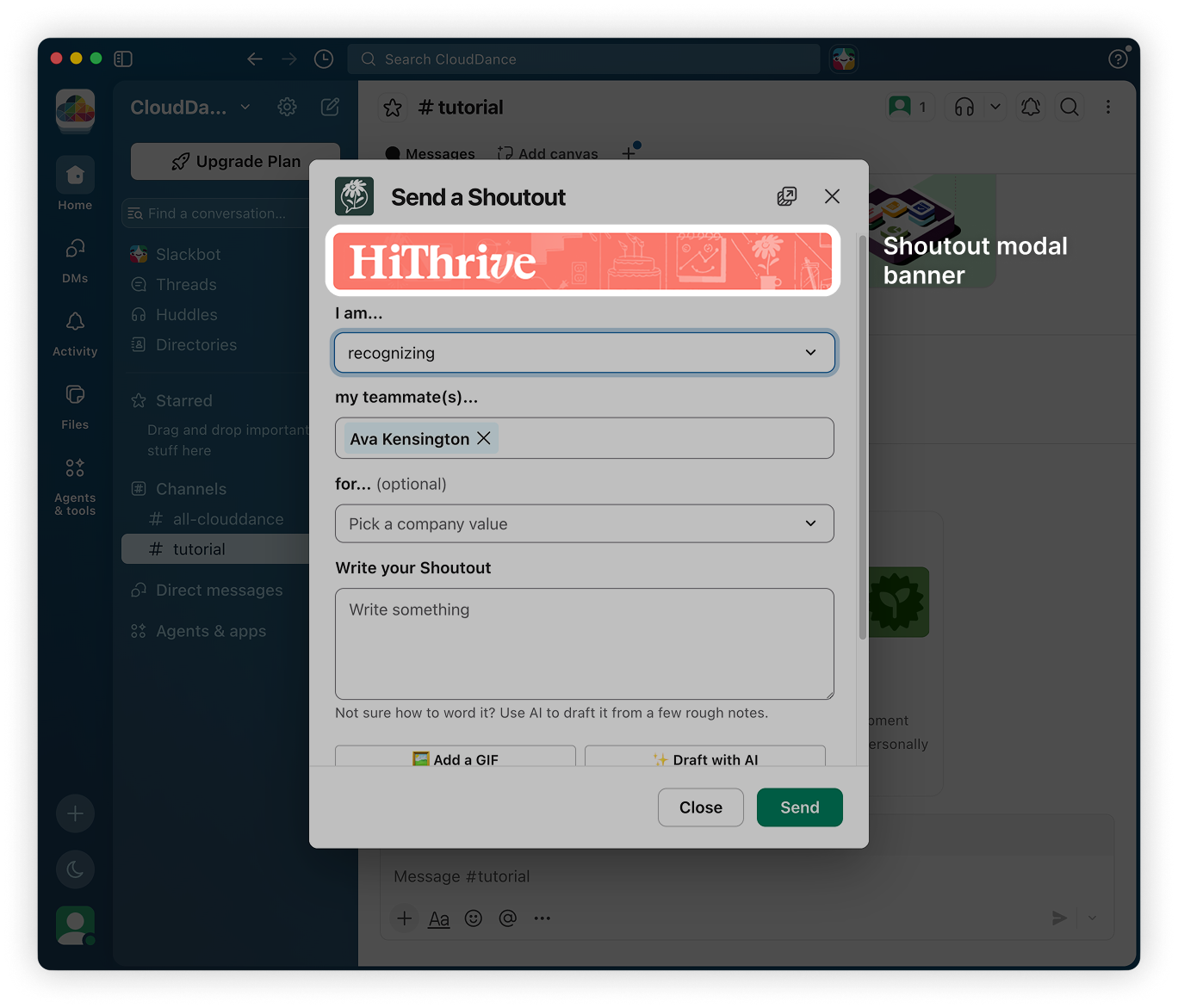
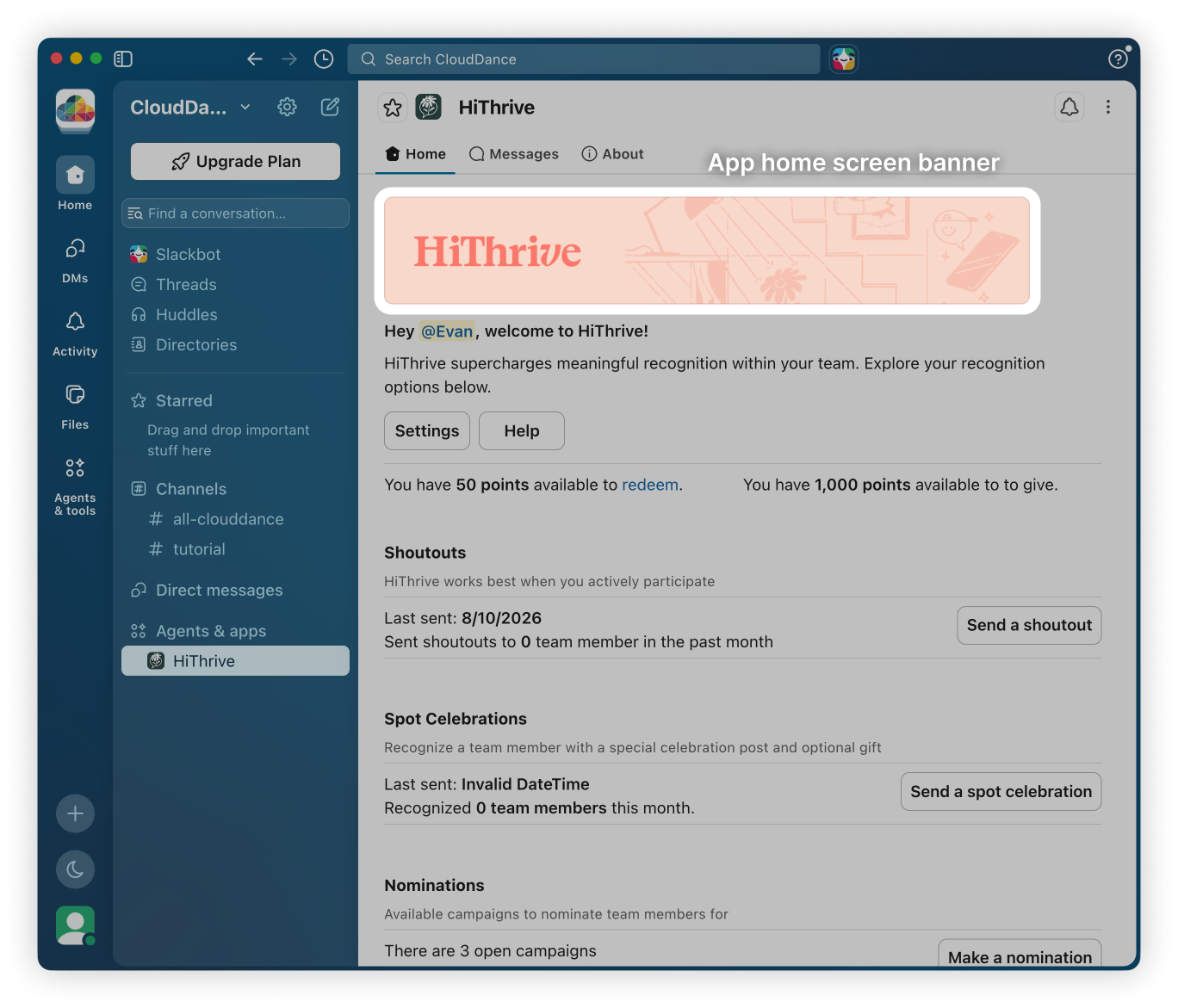
All three assets must use a solid background. Transparent backgrounds render inconsistently across Slack's light and dark themes.
Custom Slack apps are provisioned by the HiThrive team and are not available on all plans. Reach out to your account contact if you're interested.
General file guidance
Send files, not links. Images shared through Slack, Teams, or Google Drive links can lose resolution or expire. Attach the actual files.
Match the specified dimensions exactly. Scaling up a smaller file introduces artifacts that are visible at display size.
Keep focal points centered. Banners can crop slightly at the edges on narrower screens.
Consider both themes. Anything appearing in Slack or Teams will be seen in both light and dark mode by different people on your team.
Getting started
Send assets to help@hithrive.com. Include a note if you're working toward a specific launch date so we can sequence the work.
If you'd rather talk through the options with your design team before producing files, let us know and we can set up a call.